
camera.ui Cloud
camera.ui Cloud lets you reach your server from anywhere without touching your router. Your server registers with the cloud, and you connect through your camera.ui account. It's free and separate from the recording subscription.
Your server stays yours
camera.ui Cloud is a way to reach your own server, not a copy of it. Your cameras, recordings, settings, and the interface all stay on your server. The cloud only helps your app and your server find each other. Your session then runs to your own instance, over your own address or a Cloudflare tunnel (see below), and your credentials and other data never pass through camera.ui's servers.
Two things can travel through the cloud. Push notifications are end-to-end encrypted, only your phone can read them, and the cloud stores nothing. See Notifications. Live video and two-way audio go through the relay only when you switch it on and no direct connection forms. They stay end-to-end encrypted there and are not stored.
Enabling it
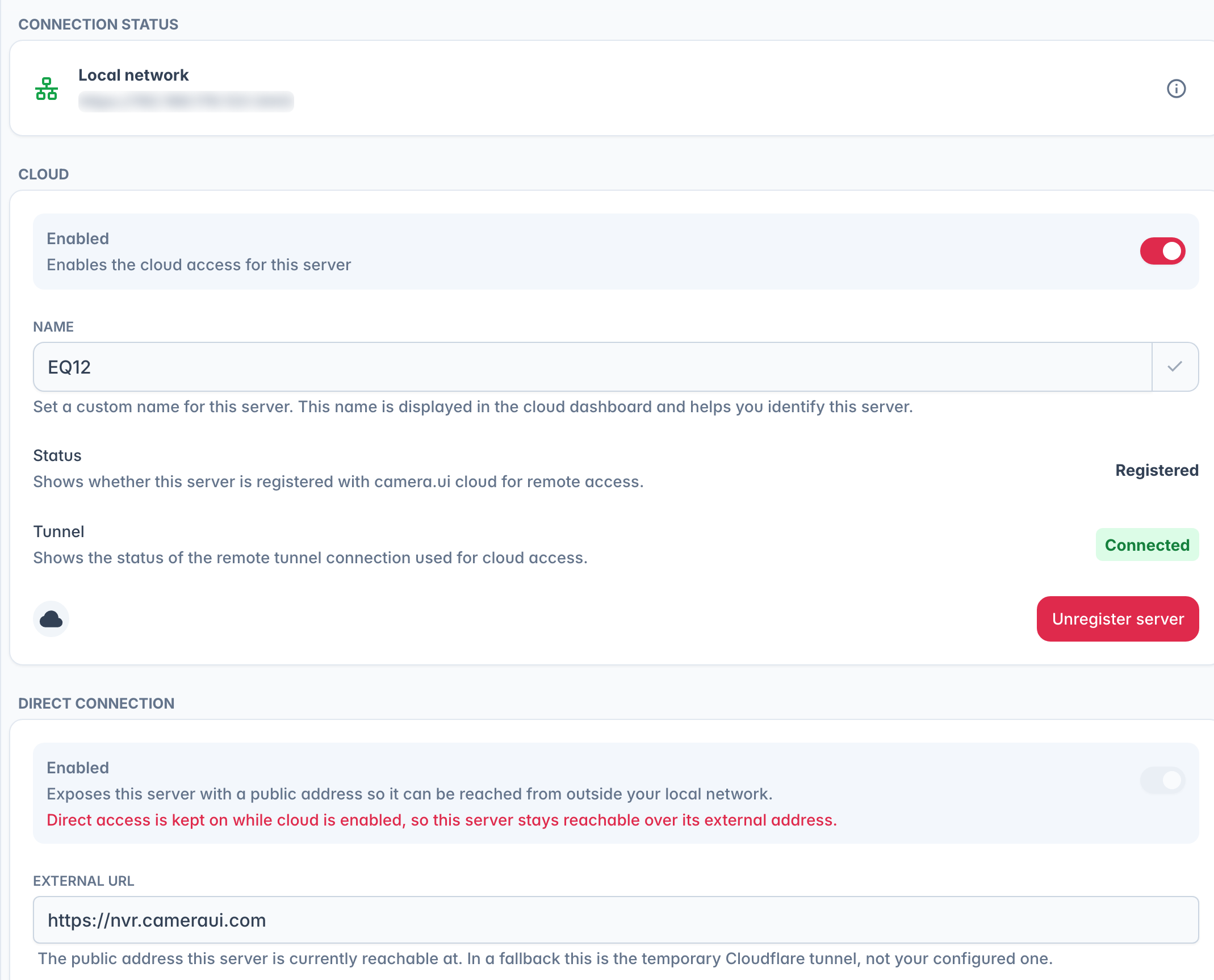
In Settings → Remote Access, open the Cloud card and turn on Enabled. The server's name is how it appears in your cloud dashboard.
The status row shows whether the server is Registered, and a tunnel indicator shows the live connection. To connect a server, choose Register server and complete the pairing. A server registered with cloud access off asks right away whether to turn it on. If the status shows Re-authentication required, the server lost its cloud credentials: choose Reconnect and pair again. A registered server can be taken off your account with Unregister server. The same flow on a phone is covered in Pairing mobile apps.
Cloud keeps direct access on
While Cloud is on, your server also keeps a public address for the apps, so the Enabled switch in the Direct connection card is locked on and External URL shows the address in use.
If you haven't set up a direct address, or the one you configured can't be reached, camera.ui starts a temporary Cloudflare tunnel instead. To use your own address, set it up under Direct connection.
The fallback is not permanent. camera.ui keeps checking your own address and goes back to it once it answers, a custom domain every minute and a Cloudflare tunnel after ten minutes, then less often. No restart needed. While the fallback is up, External URL shows the temporary address, and a Cloudflare retry that fails again hands out a new one.
The cloud dashboard
The dashboard lists your registered servers by name, and you pick one to connect to. It is at cloud.cameraui.com in a browser and is the cloud server list in the mobile apps. You can share a server with another camera.ui account by invite, who then signs in with their own login.
A server with cloud access turned off is listed but can't be opened: turn on Enabled in its Cloud card. A server that has been offline for a while shows when it was last online.
Remove in the menu next to a server takes it off your account, also when you can no longer reach the server itself. That frees its place in your plan, so a new server that stopped at Server limit reached for your plan can connect afterwards. On a server shared with you, it only ends your own access.
Turning it off
Disabling cloud access ends any active remote sessions and stops share links from working. Local connections on your network keep working.