
Controls & states
Once a camera has sensors set up, you can see their state and operate the ones that support it.
Where sensors appear
- The camera's Overview (in the settings drawer) lists every sensor assigned to the camera with its live state and, for controllable ones, the controls.
- Shortcuts let you place a sensor on the video to read its state on hover and operate it on click.
- The Sensors page lists every sensor in the system. Its edit dialog shows the same controls, including for sensors assigned to no camera.
Read-only sensors
These show their current state but aren't operated:
- Contact. Open or closed, for a door or window.
- Temperature and humidity. The current reading.
- Occupancy. Occupied or empty.
- Smoke and leak. Clear or triggered.
- Gas, carbon monoxide, heat, cold, vibration, tamper, problem, and power. Clear or triggered.
- Illuminance and CO₂. The current reading.
- Battery. Level and charging.
Controllable accessories
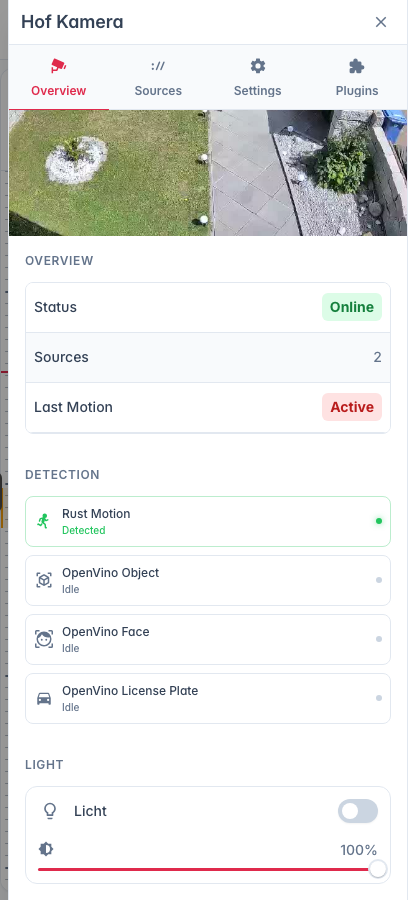
These you can operate (admin only):
- Light. On or off, and brightness where supported.
- Switch. On or off.
- Lock. Lock or unlock.
- Siren. On or off, and volume where supported.
- Garage. Open or close.
- Doorbell. Trigger a ring.
- Security system. Choose a mode: Off, Home, Away or Night. If the alarm goes off, the control shows an alarm banner and the modes stay locked while it's active.
PTZ cameras have their own controls and autotrack.