
Users & roles
Every account has a role that decides what it can do. Accounts are managed in Settings → Users (admins only).
Roles
- User. Day-to-day access: the camera list, live view, recordings, Camview, and their own account settings. The Cameras page opens as a plain list to tap through to any camera; discovery, adding cameras, and camera settings stay with admins. A user account sees a camera's source addresses only as protocol, host and port, without logins, paths or tokens.
- Admin. Everything a user can do, plus managing cameras, plugins, automations, users, and all server settings.
- Master. The main account. The same as an admin, plus it can reset the server. It can't be deleted, and its role can't be changed, not even by itself. Only the master can edit its own username, password and avatar; other admins get an error if they try.
Access is decided by role, not per camera; there are no per-camera permissions.
Managing users
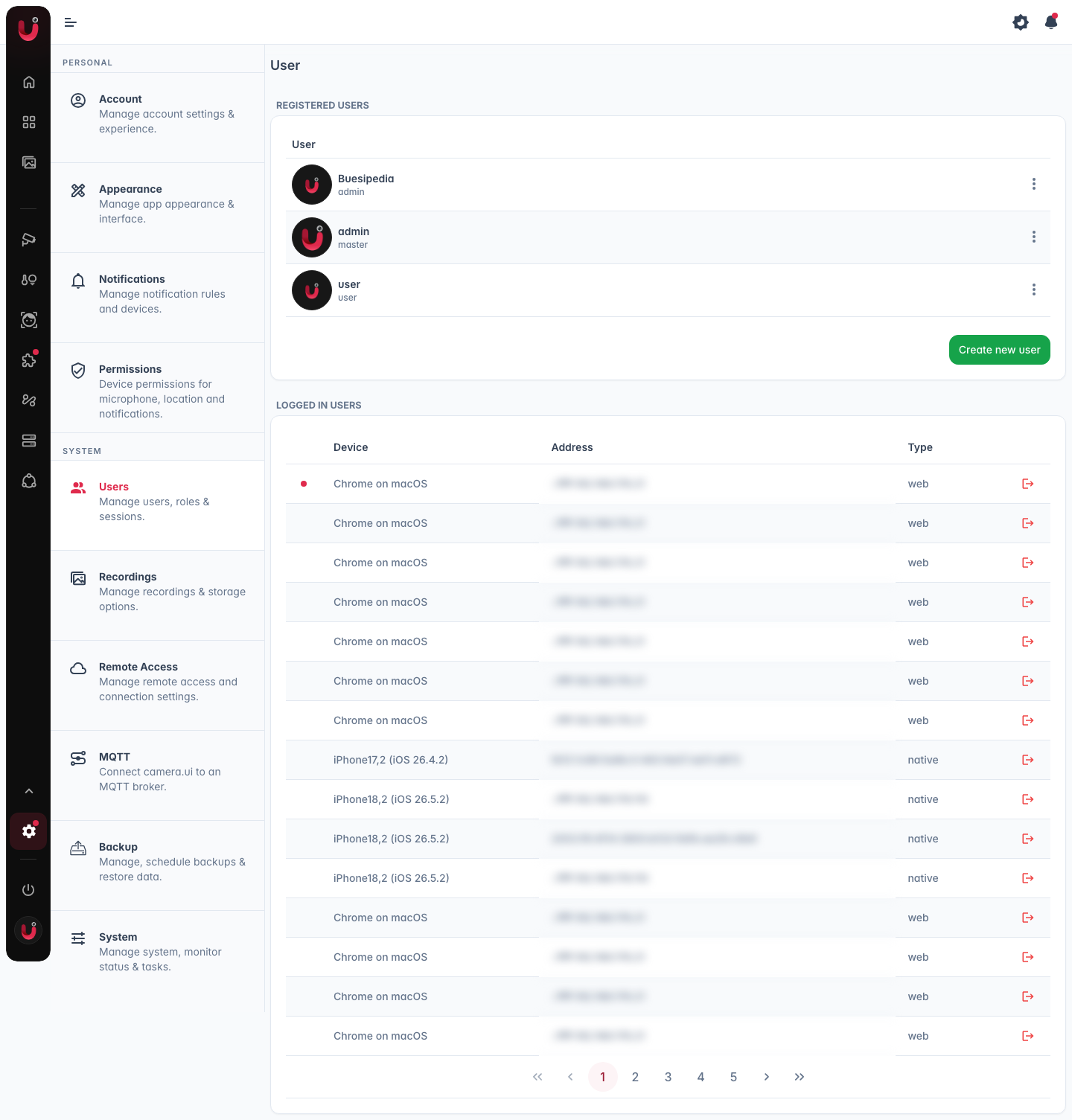
The Registered users list creates, edits and removes accounts. A new account gets a name and the role user or admin. camera.ui then shows a start password once: pass it on, the user replaces it with their own at the first sign-in. Reset password in a row's menu does the same for an existing account and signs it out everywhere. Accounts named ha-… come from the Home Assistant app, one for each Home Assistant user without admin rights who opened its panel. Deleting an account or taking its admin rights away applies at once, also on devices where it is signed in.
Logged in users
Below the registered users, the Logged in users list shows every active session across all accounts, with the device, its address, and type. Sign out on a row ends that session. Your own session and those of the Home Assistant panel or a sign-in proxy have no Sign out there, the panel and the proxy would sign them back in at once.
Connection limit
Each sign-in, meaning a browser or app you logged in with or an API token, can have up to 64 live streams and about 32 camera.ui tabs or windows open at the same time. Past that, new connections wait and retry until others close. Connections of devices that stopped answering are closed to make room.
The first account
camera.ui starts with a single master account (username admin, password admin). You're prompted to change the password on first login.