
Shares
A share lets someone watch a single camera's live stream without a camera.ui account, using a link and an access code. Creating and managing shares is for admins.
Creating a share
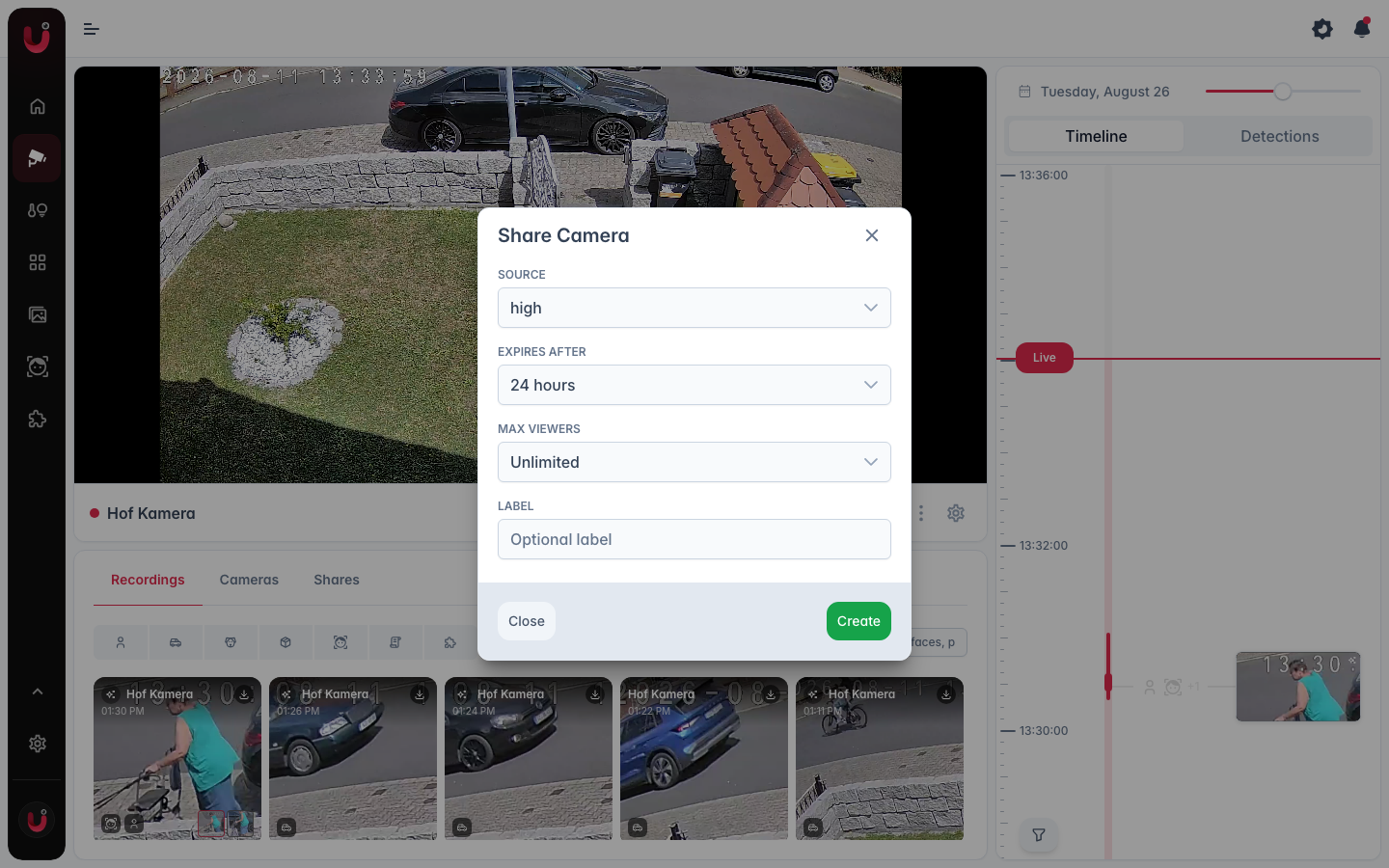
From a camera, select Share Camera in the dots menu of the player toolbar, then set:
- Source. Which stream quality to share (high, mid, or low resolution).
- Expires after. How long the link stays valid.
- Max Viewers. How many people can watch at the same time. Unlimited stops at 50.
- Label. An optional name to recognize the share later.
- Share TURN server. Shown with a TURN server set up. The viewer's browser then uses it as well, which helps on networks that block direct connections. Viewers receive its password and keep it after the share ends.
Select Create. camera.ui gives you a Share Link and an Access Code. The access code is shown only once, so copy it before closing.
The viewer page starts with the sound off. The recipient can turn it on, and on cameras with two-way audio, use the microphone button to talk back.
In the background the viewer page stops the stream and starts it again on return, unless it plays in picture-in-picture. After a dropped connection it reconnects by itself. Someone over the Max Viewers limit sees Maximum number of viewers reached, and the page keeps trying until a seat is free.
Requires camera.ui Cloud
Sharing needs your server connected to camera.ui Cloud (Settings → Remote) and online. The cloud hosts the link and helps the viewer find your server. The video travels end-to-end encrypted between the viewer and your server, directly or, with the relay switched on and no direct path, through the relay.
Managing shares
A camera's Shares tab lists its active share links: the label, the shared source, when each was created, when it expires, and how many people are watching against the viewer limit. The link can be copied again, the access code can't be retrieved. Select Revoke to end a share immediately: everyone watching is cut off and sees This share link has expired. A share that runs out ends the same way.